
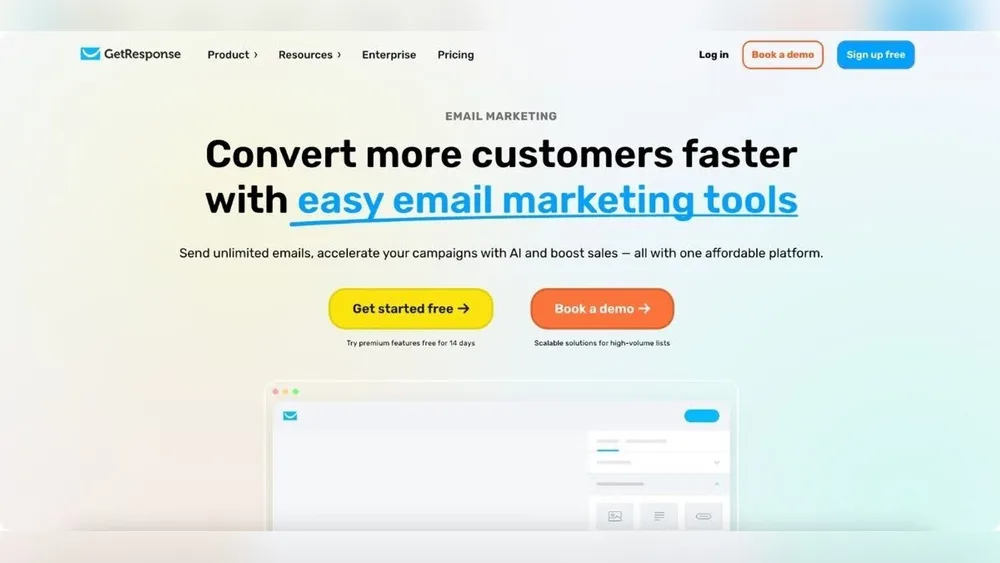
Converting More Customers Faster With Easy Email Marketing Tools
Email marketing is still one of the best ways to turn leads into customers. But with so many emails sent every day, it's easy for your message to get lost. The good news? Simple, powerful email marketing tools can help you grab attention and convert more people—faster than ever.
You don’t need to be a tech expert or a big company to see results. Even small teams and solo business owners can get professional outcomes with the right tools and strategy.
Why Email Marketing Still Works
Many businesses focus on social media, but email often gives a better return on investment (ROI). For every $1 spent on email marketing, the average ROI is $36. People check their inboxes every day, and email is direct—your message goes straight to the customer, not lost in a busy feed. Plus, emails are personal. You can segment your audience, send targeted offers, and build trust over time.
But what stops most businesses? The process can feel complicated: designing emails, tracking results, setting up automations. That’s where easy-to-use email marketing tools make a difference. They save time, reduce mistakes, and help you focus on growing your business.
What Makes Email Marketing Tools “easy”?
Not all tools are created equal. The best ones are made for everyday users, not just tech experts. Here’s what makes a tool easy and effective:
- Drag-and-drop editors – build beautiful emails without coding.
- Pre-made templates – get started quickly with professional designs.
- List management – organize contacts, segment groups, and remove duplicates.
- Automation – schedule emails and set up autoresponders.
- Analytics – see who opens, clicks, and buys.
- Integration – connect with your website, shop, or CRM easily.
Top Benefits: Convert More, Faster
Using the right tool is not just about convenience—it’s about results. Here’s how you can increase conversions quickly:
- Personalized messages: Easy tools let you add names, locations, and custom offers.
- Automatic follow-ups: Remind customers who didn’t open or click.
- A/B testing: Try two versions of an email and see which one works best.
- Clear reports: Know what’s working and what to improve.
Let’s look at a simple comparison of three popular easy-to-use email marketing tools:
| Tool | Drag-and-Drop Editor | Pre-made Templates | Automation | Price (per month, basic) |
|---|---|---|---|---|
| Mailchimp | Yes | Yes | Yes | $13 |
| ConvertKit | Yes | Yes | Yes | $15 |
| MailerLite | Yes | Yes | Yes | $10 |
How To Use Email Marketing Tools For Fast Results
1. Grow Your Email List
Place sign-up forms on your website, blog, or social media. Offer a lead magnet like a discount or free resource to encourage signups.
2. Segment Your Audience
Don’t send the same message to everyone. Group people by their interests, location, or purchase history. This makes emails more relevant and boosts conversions.
3. Design Simple, Clear Emails
Use templates and keep your design clean. One clear call to action (CTA) is better than many confusing links.
4. Automate Follow-ups
Set up a welcome email for new subscribers. Send reminders to those who left items in their cart or haven’t bought in a while. Automated emails have a 70% higher open rate compared to one-off campaigns.
5. Test And Improve
Try different subject lines, images, or offers. Use the analytics dashboard to see what works and make changes.
6. Monitor Deliverability
Avoid words and formatting that look spammy. Make sure your emails reach the inbox, not the spam folder.
Here’s an example automation workflow using an easy tool:
| Trigger | Action | Result |
|---|---|---|
| New signup | Send welcome email | Subscriber feels valued |
| Did not open | Send reminder | Higher open rates |
| Clicked offer | Send follow-up offer | Increased conversions |
Common Mistakes To Avoid
Many beginners make simple errors that slow results:
- Sending emails too often or not often enough
- Ignoring mobile-friendly design (over 60% open on mobile)
- Using generic, boring subject lines
- Not cleaning the email list (removing inactive users)
- Forgetting to test before sending
One non-obvious tip: Always check how your email looks on different devices before sending. Small formatting issues can hurt your credibility and reduce clicks.
Choosing The Best Tool For Your Needs
Think about your business goals, budget, and team size. A small online store might need basic automations and good templates. A larger company may want advanced segmentation and deep analytics.
Here’s a quick look at tool features by business type:
| Business Type | Must-Have Features |
|---|---|
| Solo entrepreneur | Templates, automation, reporting |
| E-commerce store | Cart reminders, segmentation, integration |
| B2B company | Personalization, A/B testing, CRM sync |
Another insight: Don’t be afraid to start with free plans. Most tools offer a free tier to test features and grow your list before upgrading.
Real Results: Quick Wins From Easy Email Tools
Case studies show that switching to a simpler, more intuitive tool can boost conversion rates by up to 30% in just a few weeks. For example, a small clothing store doubled its online sales by setting up cart reminder emails and sending a special offer to inactive customers.
Don’t underestimate the power of quick, personalized follow-ups. Many customers need just one reminder or a small incentive to buy.
Helpful Resources
If you want to learn more about choosing and using email marketing tools, check the in-depth guides from Campaign Monitor.
With so many options, the best tool is the one you’ll actually use. Start simple, focus on your customers, and build up as you grow.
Frequently Asked Questions
What Is The Easiest Email Marketing Tool For Beginners?
Many find Mailchimp user-friendly because of its drag-and-drop editor and clear templates. MailerLite and ConvertKit are also great choices for their simple setup and automation.
How Often Should I Send Marketing Emails?
Most businesses see the best results with one or two emails per week. Test your audience’s response—too many emails can lead to unsubscribes, but too few can be forgotten.
What Should I Include In A Welcome Email?
A good welcome email thanks the subscriber, explains what to expect, and gives a special offer or useful resource. Make it personal and clear.
How Do I Avoid My Emails Going To Spam?
Use a verified sender address, avoid all-caps or spammy words, and ask subscribers to add you to their contacts. Test your emails before sending.
Can I Use Email Marketing Tools For Free?
Yes, most major tools offer a free plan with basic features and limited contacts. This is perfect for testing and small lists before committing to a paid plan.
With easy email marketing tools, you can turn more leads into loyal customers—faster and with less stress. Start simple, keep improving, and watch your results grow.
Credit: thimpress.com
0 Comments